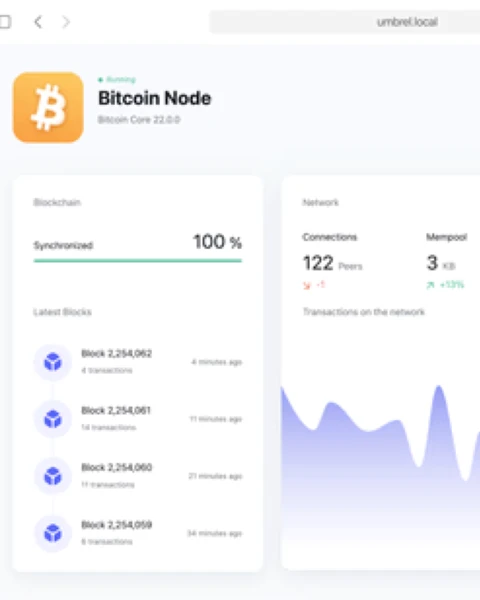

The rise of decentralized mining has led many users to the Umbrel Public Pool setup. By running a private instance of a mining pool server on Umbrel OS, users can facilitate solo mining or manage a small group of miners without relying on third-party pool operators. However, because this application sits at the intersection of the Bitcoin Core RPC interface and the Stratum protocol, the setup process often encounters technical hurdles.
If you are seeing “Connection Refused” errors, UI timeouts, or your miners are failing to communicate with the Umbrel node, this article provides the technical depth required to diagnose and resolve these issues. We will move beyond the basic “click install” instructions and dive into the underlying Docker architecture and networking requirements.
What This Error Actually Means
When an Umbrel Public Pool setup fails or remains in a “Starting” state, it usually indicates a break in the communication pipeline between three distinct layers:
- The Bitcoin Core Layer: The Public Pool app requires a fully indexed and synchronized Bitcoin node. If the RPC (Remote Procedure Call) interface is non-responsive or the node is still in Initial Block Download (IBD), the pool cannot verify block templates.
- The Application Layer (Docker): Umbrel runs Public Pool as a set of Docker containers (
public-poolandpublic-pool-web). If the environment variables—specifically those pointing to the Bitcoin Core credentials—are misconfigured, the container will enter a crash-loop. - The Network Layer (Stratum): Mining hardware communicates via the Stratum protocol (usually on ports 3333 or 5555). If these ports are not correctly mapped or if a firewall is blocking internal traffic within Umbrel OS, the setup will appear functional in the UI but will be unreachable by hardware.
Main Causes of Setup Failure
Before attempting a fix, identify which of these common bottlenecks is affecting your deployment:
1. Incomplete Bitcoin Core Sync
The Public Pool app cannot function without a “Work” source. If your Umbrel Bitcoin Node is at 99.9% or is currently compacting its database, the RPC calls required by Public Pool will time out.
2. Resource Exhaustion
Running a Bitcoin Node and a Public Pool server on a Raspberry Pi 4 with only 4GB of RAM is a frequent cause of failure. The OOM (Out of Memory) killer may terminate the public-pool process to keep the kernel alive.
3. Port Conflicts
If you are running other mining-related apps or custom scripts that occupy port 3333, the Public Pool Stratum server will fail to bind to the network interface.
4. Incorrect RPC Credentials
While Umbrel automates credential management, manual interference with the bitcoin.conf file or failed updates can lead to a mismatch between what Public Pool expects and what Bitcoin Core provides.
Step-by-Step Fix for Umbrel Public Pool Setup
Follow these steps in order. This process requires SSH access to your Umbrel device.
Step 1: Verify Bitcoin Core Status
Do not attempt to troubleshoot the Public Pool app until you confirm the underlying node is healthy.
- SSH into your Umbrel:
ssh umbrel@umbrel.local(or your specific IP). - Check the Bitcoin Core logs:Bash
docker logs bitcoin_bitcoind_1 --tail 100 - Ensure you see
progress=1.000000. If the progress is less than 1.0, wait for the sync to complete.
Step 2: Check Public Pool Container Logs
To understand why the setup is failing, inspect the specific logs for the pool engine.
- Navigate to the Umbrel directory:
cd ~/umbrel - Identify the container names:
docker ps | grep public-pool - View the logs:Bash
docker logs public-pool_public-pool_1
Look for these specific error strings:
Error: Connect ECONNREFUSED: The pool cannot find the Bitcoin Node.Error: RPC 401 Unauthorized: Credentials are incorrect.Binding to port 3333 failed: Port conflict.
Step 3: Manual Configuration Refresh
Sometimes the Umbrel app manager fails to pass the correct environment variables. You can trigger a manual restart of the specific stack.
sudo ./scripts/app stop public-pool
sudo ./scripts/app start public-pool
Step 4: Stratum Connectivity Test
If the app is “running” but your miner won’t connect, test if the port is open from another machine on your network:
# Run this from your PC, not the Umbrel
telnet <YOUR_UMBREL_IP> 3333
If the connection is refused, you must check the exports.sh or the docker-compose.yml file within ~/umbrel/app-data/public-pool/ to ensure the ports are correctly mapped to the host.
When It’s a Hardware Limitation
The Umbrel Public Pool setup is significantly influenced by the hardware architecture.
SSD vs. HDD
If you are running Umbrel on a mechanical hard drive, the latency for RPC calls will be too high. Mining requires rapid block template generation. An HDD will cause “Stale Shares” or “Internal Server Errors” in the Public Pool UI because the disk I/O cannot keep up with the Stratum requests.
Raspberry Pi vs. Mini PC
- Raspberry Pi 4/5: Sufficient for a small number of miners (1-5 ASICs). However, the USB bus sharing bandwidth between the SSD and the Ethernet port can cause bottlenecking.
- Mini PC (x86_64): Highly recommended for Public Pool. A dedicated SATA or NVMe connection ensures that the Bitcoin Core database queries are near-instantaneous, providing a much more stable Stratum experience.
When Reinstalling is Necessary
If you have modified the internal Docker files manually or if an update was interrupted, the application state may be “corrupted” in the Umbrel database. Reinstallation is necessary if:
- The
public-pool-dbcontainer fails to initialize its Postgres/Redis schema. - The UI displays a persistent 502 Bad Gateway that persists after a full system reboot.
- The
app-data/public-pooldirectory is missing essential.envfiles.
To safely reinstall:
- Uninstall via the Umbrel UI.
- SSH in and verify the folder is gone:
rm -rf ~/umbrel/app-data/public-pool - Reinstall via the App Store.
How to Prevent Future Setup Issues
- Static IP: Ensure your Umbrel has a reserved IP in your router settings. If the IP changes, your miners will lose the Stratum connection.
- Avoid Overloading: Do not run heavy applications like Nextcloud or Plex on the same Raspberry Pi that is hosting your Public Pool.
- Monitor Peer Count: Ensure your Bitcoin Node has at least 10+ peers to ensure you are receiving block data as fast as possible.
- UPS Backup: A sudden power loss can corrupt the Public Pool database, requiring a full reset.
FAQ
Why is my Umbrel Public Pool showing 0.00 TH/s?
This usually means your miner is not successfully authenticated. Check your Stratum URL settings. It should be stratum+tcp://<UMBREL_IP>:3333. Ensure the worker name is formatted correctly (e.g., YourAddress.Worker1).
Can I use Umbrel Public Pool for solo mining?
Yes, that is its primary purpose. By connecting your ASIC directly to your Umbrel, you are mining against your own node. If your miner finds a block, you receive the full block reward (minus the small dev fee configured in the app).
What ports do I need to open for Public Pool?
For internal network mining, no router ports need to be opened. If you want to mine from a remote location, you would need to forward port 3333, though using a VPN (like Tailscale, which is built into Umbrel) is significantly more secure.
Why does the “public-pool-web” container keep restarting?
This usually happens when the web front-end cannot reach the back-end API. Verify that the public-pool (engine) container is running correctly by checking docker ps.
Technical Conclusion
A successful Umbrel Public Pool setup depends entirely on the stability of the Bitcoin Core RPC interface and proper port mapping. Most issues are not bugs within the Public Pool software itself, but rather symptoms of resource exhaustion or networking conflicts on the host OS. By using the diagnostic commands provided above, you can isolate whether the failure is at the node, container, or network level and restore your solo mining operations.
Internal Linking Suggestions: