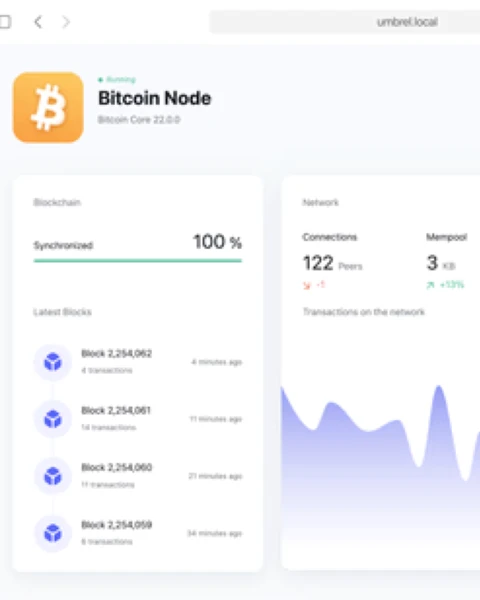

Operating an umbrel bitcoin lightning node requires seamless orchestration between the hardware layer, the host operating system (umbrelOS), and the application daemons—primarily Bitcoin Core (bitcoind) and the Lightning Network Daemon (lnd). When this orchestration breaks, the most frequent symptom is a node stuck in an infinite initialization loop or a “waiting for sync” state that never progresses.
Most of these issues do not stem from bugs within the Umbrel source code itself. Instead, they are typically caused by database corruption following improper shutdowns, I/O bottlenecks in the storage medium, or network-level handshake failures. This guide bypasses the surface-level UI and utilizes the command-line interface (CLI) to diagnose and repair your node without resorting to a full blockchain redownload.
What This Error Actually Means
When an umbrel bitcoin lightning node fails to start, it indicates a breakdown in the dependency chain. In technical terms, the system operates on a hierarchical requirement:
- Bitcoind must load the block index and verify the UTXO (Unspent Transaction Output) set.
- ZMQ (ZeroMQ) sockets must be active to broadcast new block and transaction data.
- LND must connect to Bitcoin Core via RPC (Remote Procedure Call) and ZMQ to verify the “chain tip.”
If bitcoind detects a checksum mismatch in its LevelDB files, it will halt to prevent data corruption. Consequently, LND will wait indefinitely for a signal that the chain is synced. When you see “Starting…” in the Umbrel UI, it usually means the LND process is alive but refuses to unlock the wallet because it cannot verify its position on the blockchain.
Main Causes of Synchronization Failure
Before applying fixes, you must identify the bottleneck. In the Umbrel environment, the following factors are the primary culprits:
1. Database Corruption (LevelDB Mismatch)
The most common cause. If the power is cut while the node is writing to the disk, the pointers in the chainstate or blocks/index folders can become misaligned. The daemon will see this as a security risk and shut down.
2. Peer-to-Peer (P2P) Stalling
Bitcoin Core relies on a file called peers.dat to remember other nodes. If this file contains stale or “poisoned” nodes that are no longer active, your node may struggle to find a path to the current block height, resulting in $0$ active connections.
3. Disk I/O Saturation and Latency
The Bitcoin blockchain requires high $IOPS$ (Input/Output Operations Per Second). If you are using a mechanical hard drive (HDD) or a low-quality SSD, the system may enter a state of iowait. When the CPU spends too much time waiting for the disk to respond, the software timeouts trigger, causing the container to restart.
4. Under-voltage (Specific to Raspberry Pi)
If the power supply provides less than $5V$ or fails to maintain $3A$ under load, the USB controller for the SSD might momentarily drop. This results in the filesystem being remounted as “Read-Only” to protect data, effectively killing the node’s ability to sync.
Step-by-Step Fix
To resolve issues with your umbrel bitcoin lightning node, you must interface with the system via Secure Shell (SSH).
1. Establish an SSH Connection
Open your terminal (macOS/Linux) or PowerShell (Windows) and connect:
ssh umbrel@umbrel.local(If umbrel.local fails, use the specific IP address of your device.)
2. Real-time Log Analysis
To see exactly why the node is failing, you must view the Bitcoin Core logs. Execute:
~/umbrel/scripts/app compose bitcoin logs --tail=100 -fLook for these specific error strings:
Error: Invalid or corrupt peers.datFatal LevelDB error: Corruption: checksum mismatchREORGANIZE: Expected higher blockBitcoin is probably already running
3. Repairing the P2P Layer
If the logs show peer errors or no connections, the peers.dat file likely needs a reset.
sudo rm ~/umbrel/app-data/bitcoin/data/bitcoin/peers.dat
~/umbrel/scripts/app restart bitcoin
Bitcoin Core will automatically generate a new file and look for fresh entry points into the network.
4. The “Reindex-Chainstate” Procedure
If you see LevelDB or checksum errors, a full reindex (which takes weeks) is often unnecessary. Instead, use reindex-chainstate, which rebuilds only the UTXO set from the existing block data.
- Open the configuration file:
nano ~/umbrel/app-data/bitcoin/data/bitcoin/bitcoin.conf - Add this line at the bottom:
reindex-chainstate=1 - Save (Ctrl+O, Enter) and Exit (Ctrl+X).
- Restart the application:
~/umbrel/scripts/app restart bitcoin
Warning: Monitor the logs. Once the node reaches the current block height, you must remove that line from bitcoin.conf, or the node will perform this rebuild every time it reboots.
When It Is a Hardware Limitation
Sometimes software fixes are insufficient because the underlying hardware cannot sustain the Bitcoin network’s requirements.
SSD Issues and UASP Support
If your node crashes specifically during high-traffic periods (e.g., when many blocks are found in quick succession), your SSD adapter might be the problem.
- The Check: Run
dmesg | grep -i usb. - The Problem: If you see
uas_eh_abort_handler, your USB-to-SATA/NVMe adapter does not support UASP correctly or is drawing too much power. - The Solution: Use a dedicated enclosure known to be compatible with Raspberry Pi 4/5 or move to a Mini PC (NUC) architecture.
RAM Exhaustion
The umbrel bitcoin lightning node requires at least $4GB$ of RAM to run comfortably with secondary apps. If you are on a $2GB$ Raspberry Pi, the “OOM Killer” (Out Of Memory) will terminate the Bitcoin process to prevent a system-wide crash.
- Fix: Increase the swap file size or disable non-essential apps like Nextcloud or Mempool until the initial block download (IBD) is complete.
When Reinstalling Is Necessary
Reinstalling should be avoided due to the time required for data recovery, but it is necessary if:
- Filesystem Corruption: The SSD reports
EXT4-fs error (device sda1). This requires afsckrepair or a reformat. - Block Corruption: If
.datfiles in theblocksdirectory are corrupted, the node cannot “verify” the history, and a fresh download is the only path to a “trustless” state.
To wipe only the Bitcoin data (keeping your Umbrel OS and other apps intact):
~/umbrel/scripts/app stop bitcoin
sudo rm -rf ~/umbrel/app-data/bitcoin/data/bitcoin/chainstate
sudo rm -rf ~/umbrel/app-data/bitcoin/data/bitcoin/indexes
~/umbrel/scripts/app start bitcoin
How to Prevent Future Failures
- Uninterruptible Power Supply (UPS): This is the single most important investment for a node operator. A UPS ensures that even during a $1$-second power flicker, the node performs a graceful shutdown or remains powered, preventing LevelDB corruption.
- Temperature Management: Bitcoin Core validation is CPU-intensive. If the CPU temperature exceeds $80^{\circ}C$, the system will throttle performance, which can cause LND to time out during its handshake with Bitcoin Core.
- Active Cooling: Use a high-quality aluminum case or active fan cooling to keep the SoC (System on a Chip) below $60^{\circ}C$.
FAQ: Frequently Asked Questions
1. Why is my Bitcoin node stuck at 99% for hours?
This is often the “validation tail.” The last few blocks contain the most complex transactions. If your disk latency is high, validating these final $100$ blocks can take as long as the previous $1000$. Check your disk usage with iostat.
2. Can I use a MicroSD card for my node data?
No. MicroSD cards lack the endurance and random-write speed required for the Bitcoin database. Using one will lead to inevitable failure within weeks.
3. What does “LND Error: Wallet is locked” mean?
This is normal behavior. You must enter your dashboard password in the Umbrel UI to provide the seed/key to LND so it can unlock the wallet.db.
4. How do I fix the “ZMQ connection failed” error?
Ensure that both apps are running on the same internal network. If you have modified bitcoin.conf manually, verify that the zmqpubrawblock and zmqpubrawtx ports (usually 28332 and 28333) are not blocked or misconfigured.
5. Is a Raspberry Pi 5 better for a Lightning node?
Yes. The Pi 5 offers significantly better encryption handling and faster I/O throughput, reducing the time for signature verification during block processing.
Technical Conclusion
Maintaining a healthy umbrel bitcoin lightning node is a matter of managing data integrity and hardware stability. By utilizing SSH to monitor logs and performing targeted repairs like reindex-chainstate or peers.dat removal, you can avoid the nuclear option of a full reinstall. Remember that the Lightning Network is a real-time financial system; treating the underlying hardware with the same care as a server—including stable power and cooling—is essential for long-term uptime.
Internal Linking Suggestions: